 OpenCall
Cloudflare R2
The production path for attachment storage — free egress, which is what serving chat images to a real community needs.
Cloudflare's S3-compatible storage. Pick this one for production: egress is free, so serving images back to your community costs nothing beyond storage.
Cloudflare asks for a card
R2 requires a payment method to enable, even on the free tier. Inside the free allowance (10 GB storage) the charge is US$ 0. If you want to avoid the card entirely, use Neon Object Storage instead.
Every step here happens in the browser — there is no CLI for this path.
Open the Cloudflare dashboard and log in. In the menu on the left-hand side of the screen, click Storage & Databases, then R2 Object Storage inside it.
The first time you open R2, Cloudflare asks you to enable it and to add a payment method.
Click Create bucket. Type a name (e.g. opencall-uploads), leave the
location on Automatic, and confirm.
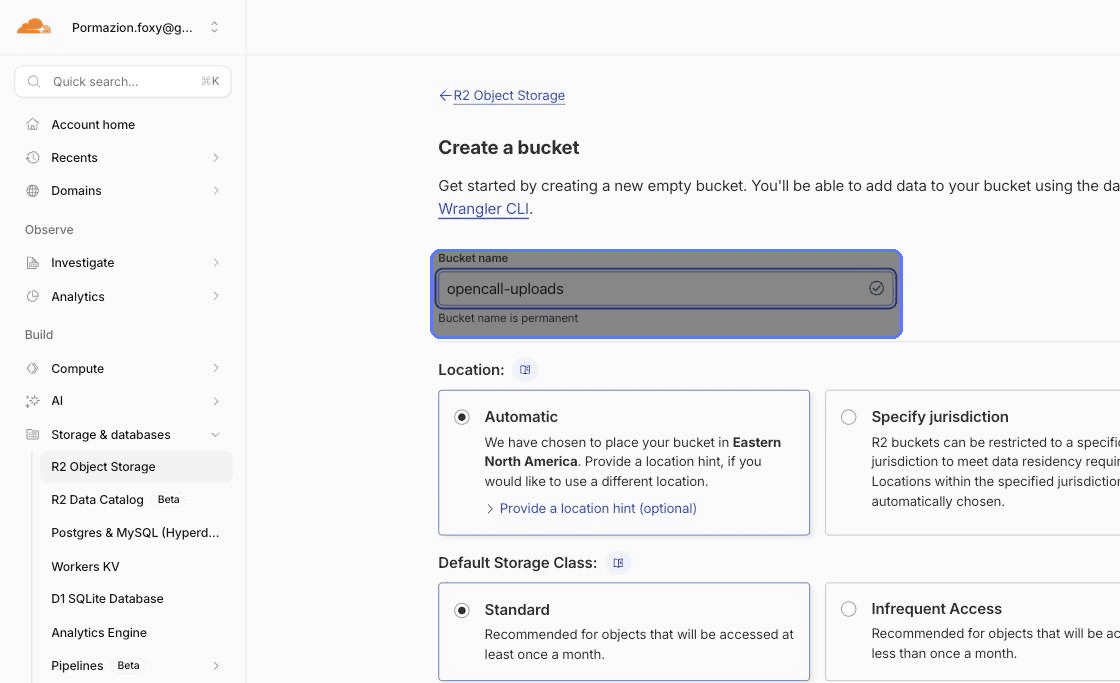
The name becomes R2_BUCKET.
Click Manage API Tokens — the one inside the R2 panel, not the account-wide API Tokens page — then Create API Token.
Give it Object Read & Write permission and restrict it to the bucket from step 2.
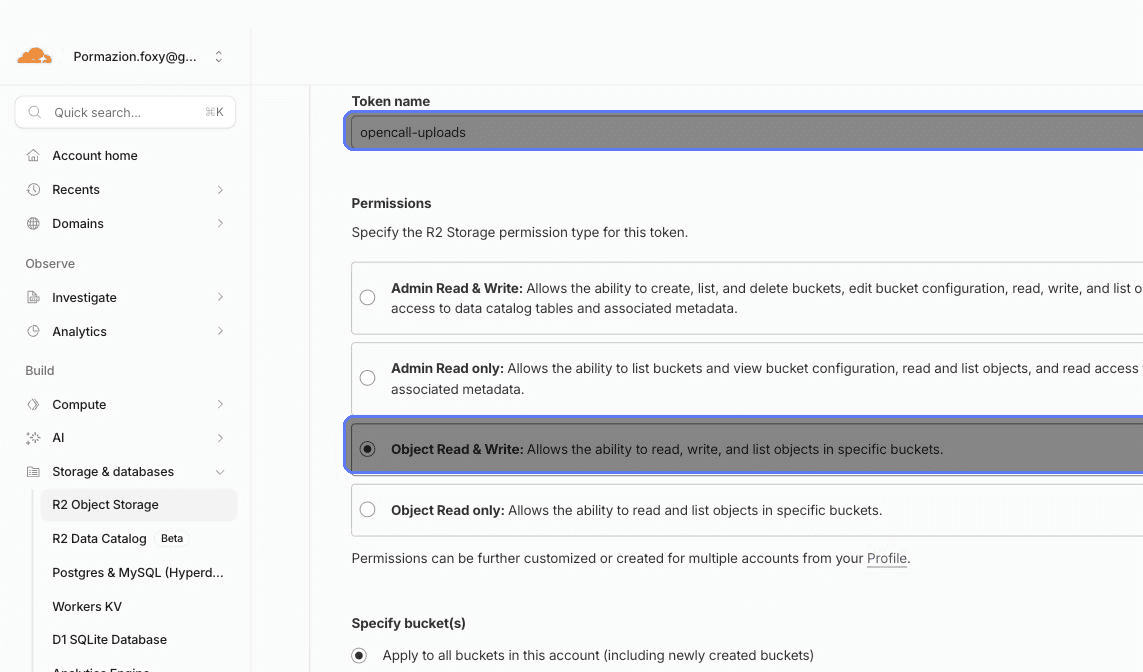
That generates R2_ACCESS_KEY_ID and R2_SECRET_ACCESS_KEY. Both are shown
once — copy them now.
Copy the Account ID from the right-hand side of any Cloudflare dashboard
page → R2_ACCOUNT_ID.
Go back into the bucket → Settings → Public Access. Enable the default
public URL (format pub-xxxxxxxx.r2.dev), or connect a domain of your own.
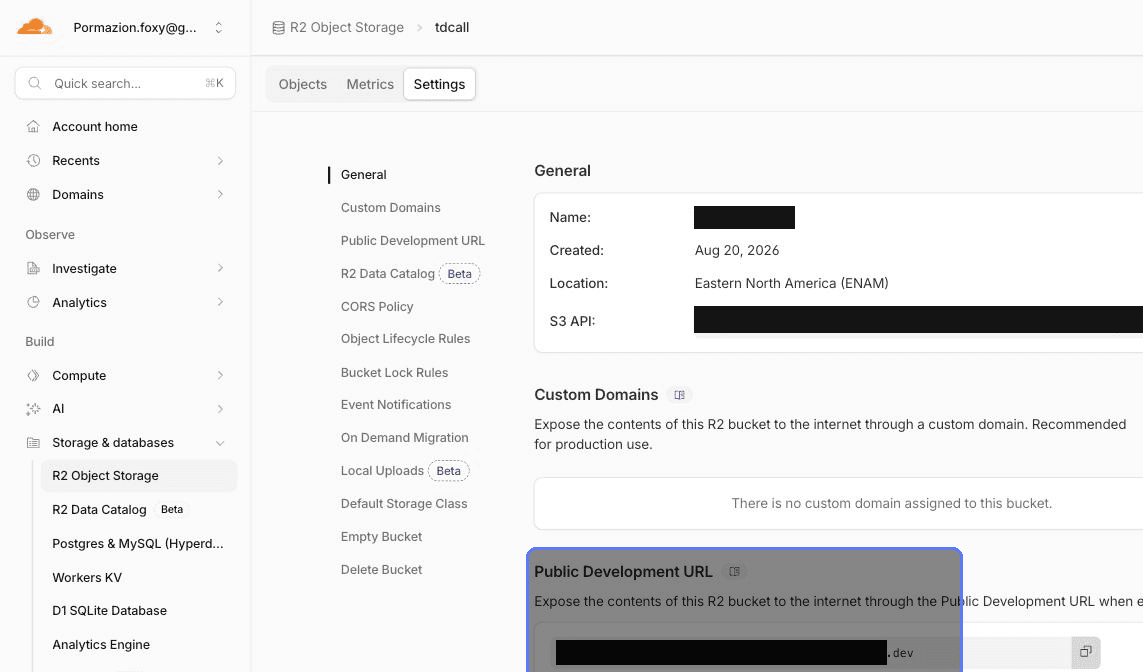
That URL, with https:// in front and no trailing slash, becomes
NEXT_PUBLIC_R2_PUBLIC_BASE_URL.
Without public access, no image loads
Not even for people who are already logged in. The bucket only holds images users attached in chat, so public reads are the expected setup here, not a misconfiguration.
Variables from this step
| Variable | Value |
|---|---|
R2_BUCKET | Bucket name (opencall-uploads) |
R2_ACCOUNT_ID | Cloudflare Account ID |
R2_ACCESS_KEY_ID | From the API Token |
R2_SECRET_ACCESS_KEY | From the API Token |
NEXT_PUBLIC_R2_PUBLIC_BASE_URL | The bucket's public URL |
R2_ENDPOINT and R2_REGION stay empty on this path: the app derives the
endpoint from R2_ACCOUNT_ID, and R2 requires the region auto, which is the
default.